
Educational content lives or dies on clarity. You can have the best lesson in the world, but if your visuals are confusing, generic stock photos, or worse, just walls of text, students tune out. Traditional educational graphics require design skills most educators don’t have. You’re either spending hours on design software trying to make diagrams, or you’re paying designers who don’t understand the subject matter well enough to visualize it correctly.

AI image tools have solved this gap. Educators can now clearly describe what they need and receive accurate, engaging visuals in minutes. We’re discussing custom diagrams, concept illustrations, historical reconstructions, and scientific visualizations, all generated from text descriptions. Dreamina makes this accessible even if you’ve never touched design software. You explain the concept, specify the visual style, and get educational graphics that actually teach.
Why visuals matter in education
Students remember images better than text. That’s not opinion, it’s cognitive science. Visual learning aids comprehension, retention, and engagement across all age groups and subjects.
What makes educational visuals effective:
- Clear diagrams that break down complex processes into understandable steps
- Concept illustrations that make abstract ideas concrete and relatable
- Historical or scientific visualizations that bring subjects to life
Tools like Seedream 5.0 AI Image Generator excel at educational content because of their improved layout capabilities and smarter prompt understanding. You can describe something like “a diagram showing the photosynthesis process with labeled arrows” and get accurate results. The platform’s enhanced text rendering ensures labels stay readable and correctly spelled, while better font selection creates clear hierarchies between titles, labels, and annotations. The improved visual hierarchy guides students’ eyes through information in logical order.
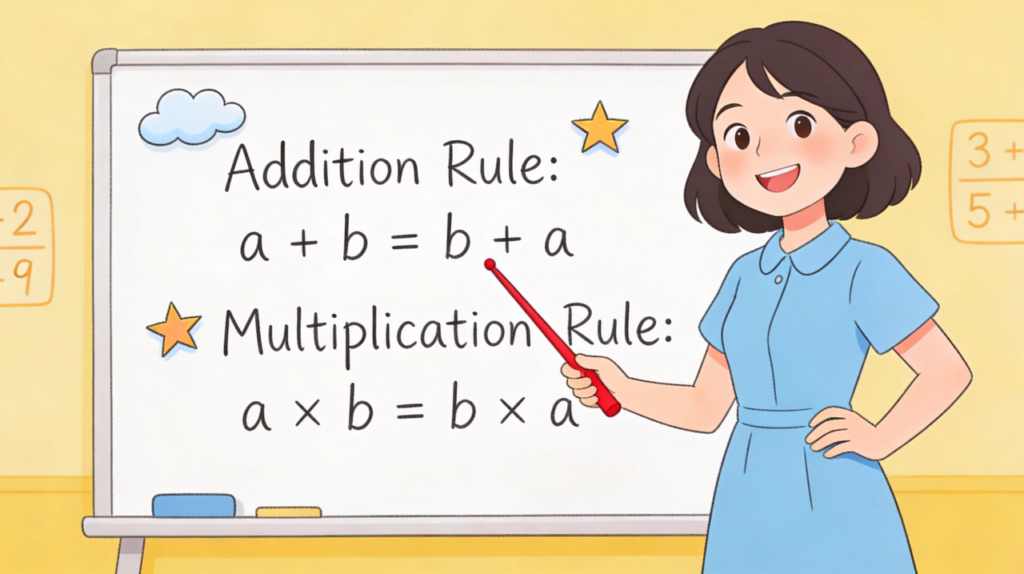
Creating different visual types for different lessons
Educational content needs variety. Diagrams for processes, illustrations for concepts, timelines for history, graphs for data. Each visualization serves a specific learning purpose.
Visual types that enhance learning:
- Process diagrams showing step-by-step sequences with clear progression
- Concept maps connecting related ideas with visual relationships
- Comparison charts showing differences between similar concepts
- Timeline illustrations placing events in a historical or developmental context
Seedream 5.0’s stronger stylization performance means you can maintain consistent visual language across an entire course or curriculum. The platform’s more precise editing capabilities let you adjust labels, arrows, or elements without regenerating the entire diagram, which matters when you’re fine-tuning educational accuracy.
Making your first educational graphic
This process is faster than learning traditional design software.
Step 1: Define what you’re teaching
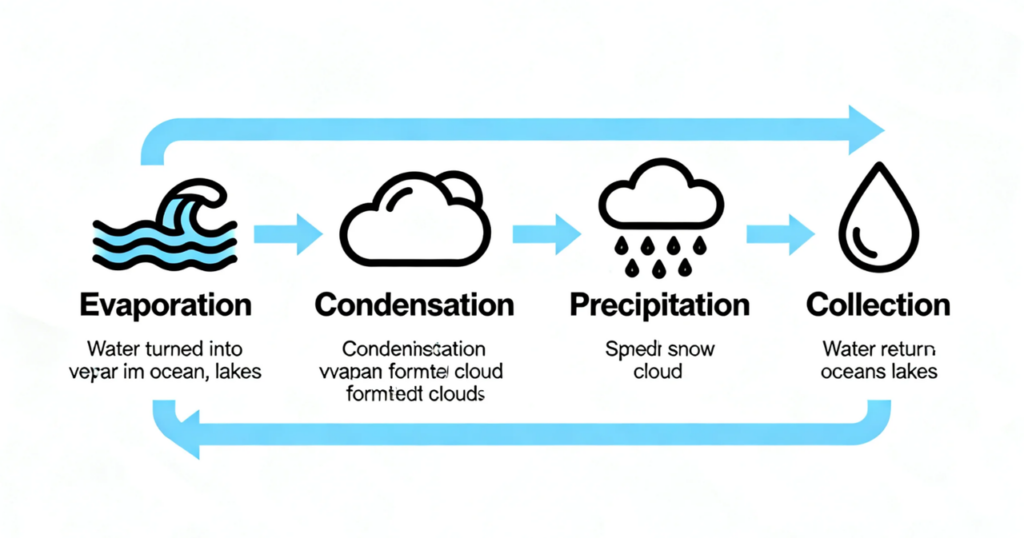
Open Seedream 5.0 and describe the concept clearly. Be specific about educational elements: “Diagram of the water cycle showing evaporation, condensation, precipitation, and collection with arrows indicating flow, clean educational style with labels.”
For historical content, add context: “Medieval castle cross-section showing different rooms and defensive features, labeled illustration style, accurate historical details.”
Step 2: Generate and verify accuracy
Pick your dimensions based on usage. Landscape works for presentations, square for social media, vertical for handouts or mobile learning.
Step 3: Create supporting visuals
Once your main visual works, generate related graphics. Detail views, alternative perspectives, simplified versions for younger students.
Export in formats your platform needs. PNG preserves quality for print materials, JPG works for digital distribution.

Turning static images into animated explanations
Static diagrams are good. Animated explanations are better for complex processes.
How to extend educational images:
- Animate process flows to show progression over time
- Create reveal sequences that build concepts step by step
- Generate comparison animations showing changes or transformations
Tools like Seedance 2.0 AI Video Generator make educational animations accessible. The platform’s multimodal reference capability lets you upload your diagram, specify how elements should move, and include up to 12 reference files for style consistency. The upgraded consistency features ensure educational elements stay accurate across every frame. Improved audio-video synchronization means narration matches visual progression, which is crucial for instructional content.
Maintaining educational accuracy
AI generates visuals quickly, but that speed means nothing if the content is wrong.
How to ensure accuracy:
- Verify scientific or historical details before finalizing
- Test visuals with students to confirm they aid understanding
- Keep complexity appropriate for your audience’s level
AI tools handle visual production, but your subject expertise guides content accuracy. Use these tools to illustrate what you know, not to replace knowing it.
Scaling across the curriculum
The real advantage shows when creating entire courses or updating the curriculum.
Efficient curriculum workflows:
- Generate a consistent visual style across all lessons
- Create grade-appropriate variations of the same concept
- Update visuals when educational standards change
When comparing platforms through resources like Best Sora 2 alternative evaluations, end-to-end workflow integration matters for educators creating comprehensive content. The seamless connection between Seedream 5.0 for diagrams and Seedance 2.0 for animations means you can create educational visuals, animate complex processes, and export lesson-ready materials without switching platforms. That efficiency matters when you’re managing multiple courses or updating curriculum regularly.
Real-world applications across subjects
Different subjects benefit from different visual approaches.
Subject-specific advantages:
- Science: Generate accurate diagrams of biological processes, chemical reactions, and physical phenomena
- History: Create period-accurate illustrations, timelines, and maps showing historical changes
- Math: Visualize abstract concepts, geometric relationships, statistical data
- Languages: Illustrate vocabulary, cultural contexts, and grammatical structures
Seedream 5.0’s real-time search capability helps with current events or recent discoveries, ensuring educational content stays up-to-date with the latest information.
Final thoughts
Educational visual creation used to require design expertise or the services of expensive illustrators. AI image tools have made professional-quality educational graphics accessible to every educator.
Platforms like Dreamina aren’t replacing teaching expertise. They’re removing the technical barriers that kept educators from illustrating concepts effectively. You still provide knowledge and pedagogical understanding. The AI just helps visualize it.
Students deserve clear, engaging educational visuals. Now you’ve got the tools to create them with Dreamina.