
Brand visual challenges can lead to an unprofessional appearance for your brand, even if the product or service being promoted is very good. Do your photos look blurry? Do your designs feel empty? Is your content simply boring? Many small business owners face this same challenge and it can impact customers’ perceptions of their brand.
The good news is that you don’t have to be a designer or expert to solve these issues. In this guide, we will share five incredibly easy-to-use resources that will help to elevate image quality, design better marketing materials, and create engaging brand visuals that grab attention and associations of trust.
So, let’s get started.
1.) Artguru

A solid brand visual starts with ensuring that the image quality is indisputably clear and high resolution, and Artguru makes sure you never go down the blurry or low-resolution photo road. Using Artguru’s AI photo enhancer, in one click, you can enhance an image’s clarity, texture, and overall quality, increasing its resolution up to 4K.
Artguru also offers an image upscaler that takes photo quality even further, delivering results up to 4K and even 8K. For brands managing a high volume of images, Artguru has a batch feature that allows you to make adjustments to 50 photos at a time. For larger-scale needs and automation, an API is also available. This saves an immense amount of time while ensuring quality image consistency.
The result? Professional-looking images that instantly raise the perceived value of your brand.
Pro Tip:
You should run all of your key visual assets that may not be perfectly high-resolution, including product photos, banners, graphics, and even company team photos, through Artguru before posting content to your social channels or website. The benefit of having these images sharper and cleaner in quality will grab attention quickly to make a professional brand impression.
Price:
Artguru offers a free plan with limited credits. Paid plans start at around $9.99/month, unlocking higher resolutions, faster processing, and bulk editing features.
2.) Canva
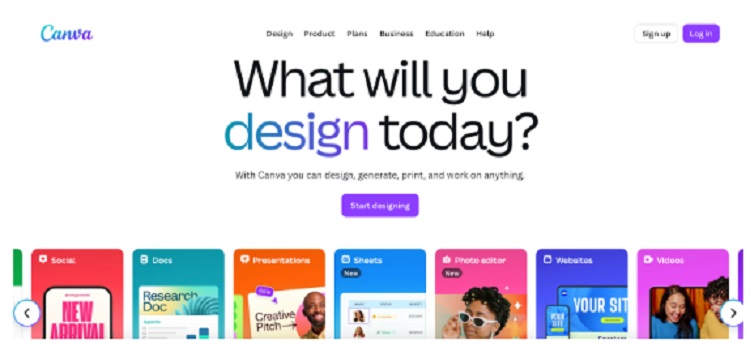
Canva is a user-friendly graphic design platform that enables small businesses and marketers to put together professional-quality marketing visuals without needing deep design skills. It features a drag-and-drop editor, thousands of templates for social media, presentations, posters, flyers, and more.
A big strength is the Brand Kit, which lets you upload your logo, set brand-colors, choose your fonts, and define styles so that all your designs stay consistent.
Other valuable tools include the Background Remover, Magic Resize, and a large library of premium photos, graphics, videos, and templates.
Pro Tip:
Set up a Brand Kit as soon as you start. By saving your logo, fonts, and color palette, every design you create, whether a Facebook ad or a sales flyer, automatically reflects your brand’s identity, saving you hours of rework.
Price:
Canva has a Free Plan with templates and basic features. Canva Pro costs around $50 per year (or about $6.5 per year) and unlocks premium assets, background remover, Magic Resize, and multiple Brand Kits.
3.) Photoroom

In online shopping, your product photos are the first thing customers judge, and often the deciding factor in whether they click “buy.” Photoroom is built exactly for this purpose. With just a few clicks, you can remove messy backgrounds, add clean white or branded backdrops, and apply realistic shadows that make your items look like they were shot in a professional studio.
It even offers marketplace-ready templates for Amazon, Etsy, Shopify, and eBay, so your images always meet platform requirements. Besides, Photoroom’s batch editing lets you apply the same enhancements across dozens of product shots at once, giving your store a polished, consistent look that builds customer trust and boosts conversions.
Pro Tip:
Take your product photos in consistent lighting and angles, then upload them together in Photoroom. Use the batch feature with a uniform background template, and your storefront will instantly look cleaner, more professional, and more appealing to buyers.
Price:
Photoroom offers a Free Plan with background removal and up to 250 exports per month. The Pro Plan (about $12.99/month unlocks high-resolution exports, batch editing, and premium AI tools.
4.) Adobe Lightroom

Adobe Lightroom is built for creators who want full command over their images. It offers advanced editing tools, RAW photo support, curves, tone-splitting, selective masking, and color grading, that let you fine-tune every detail.
You also get powerful organizational features: keywording, metadata, folder/albums, and cloud syncing across devices so your work is available anywhere.
For small businesses, this means you can produce higher-end visuals, for ads, print, website galleries, that match pro standards. You don’t just apply presets; you tailor the look, correct color casts, and ensure consistency across your entire visual library.
Pro Tip:
Start by shooting in RAW format whenever possible, even on phones or cheaper cameras that support it. RAW gives Lightroom more data to work with, especially in shadows or highlights. Also, build your own set of presets or use Lightroom’s advanced color grading tools so you get a consistent style across all photos.
Price:
Lightroom starts at $11.99/month for the 1TB plan, which includes cloud storage and editing tools. The Photography Plan costs about $19.99/month and adds Lightroom Classic and Photoshop. This plan is great for businesses or professionals who want polished and high-quality visuals.
5.) Gemini Nano Banana

If there’s one tool built for viral moments, it’s Gemini Nano Banana. Launched by Google in 2025, this AI image model can turn a simple idea into a scroll-stopping visual. Need a product photo in a trending style? A background swap that feels like magic? Or a series of edits where your brand mascot keeps its look across different scenes? Nano Banana does it all, and fast.
What makes it stand out is speed and consistency. You don’t need to be a designer to ride the wave of trending aesthetics. With just a few prompts, you can change outfits, test new backdrops, or even remix multiple photos into one fresh look. If you ever find the generated results lack sharpness, simply use Artguru Unblur Image to restore clarity and detail.
Pro Tip:
Keep an eye on TikTok, Instagram, and X to see which visual styles are blowing up. Save a “prompt library” for your favorite looks and adapt them quickly with Nano Banana, this way, your brand stays relevant while still feeling authentic.
Price:
With Gemini Nano Banana, you can pay per image using the API, about $0.04 per image under standard settings. If you want more features, faster edits, and bigger limits, the Pro plan costs $19.99/month.
Time to Make Your Brand Shine
Great visuals are more than just nice pictures. They show your customers that you care about quality. The best part is that you do not need a huge budget or a design degree to get that professional look.
You do not need to master all five of these tools at once. Just start with the one that solves your biggest problem right now. You might need to fix a blurry photo with Artguru, set up a brand kit in Canva, or clean up product backgrounds in Photoroom. Even a small improvement makes a big difference in building trust.
Pick a tool, give it a try, and start transforming your brand image today.