
Lark is a collaborative platform that can help you streamline your project management and automate your procedures. It makes working together easier by bringing together different technologies into one platform. This technique makes communication and productivity better by cutting down on context switching and bringing information together. To learn more about the different features offered by Lark, one of the most sought-after project management tools on the market, continue reading our comprehensive guide.
Lark Base: a robust database for any complex project
Lark Base is a key part of Lark that makes project management work well. With this no-code database, teams may make their own apps and trackers without needing to employ a developer. Think of it as a stronger and more flexible alternative to Sheets. It makes both content calendars and customer relationship management (CRM) systems easier to use.
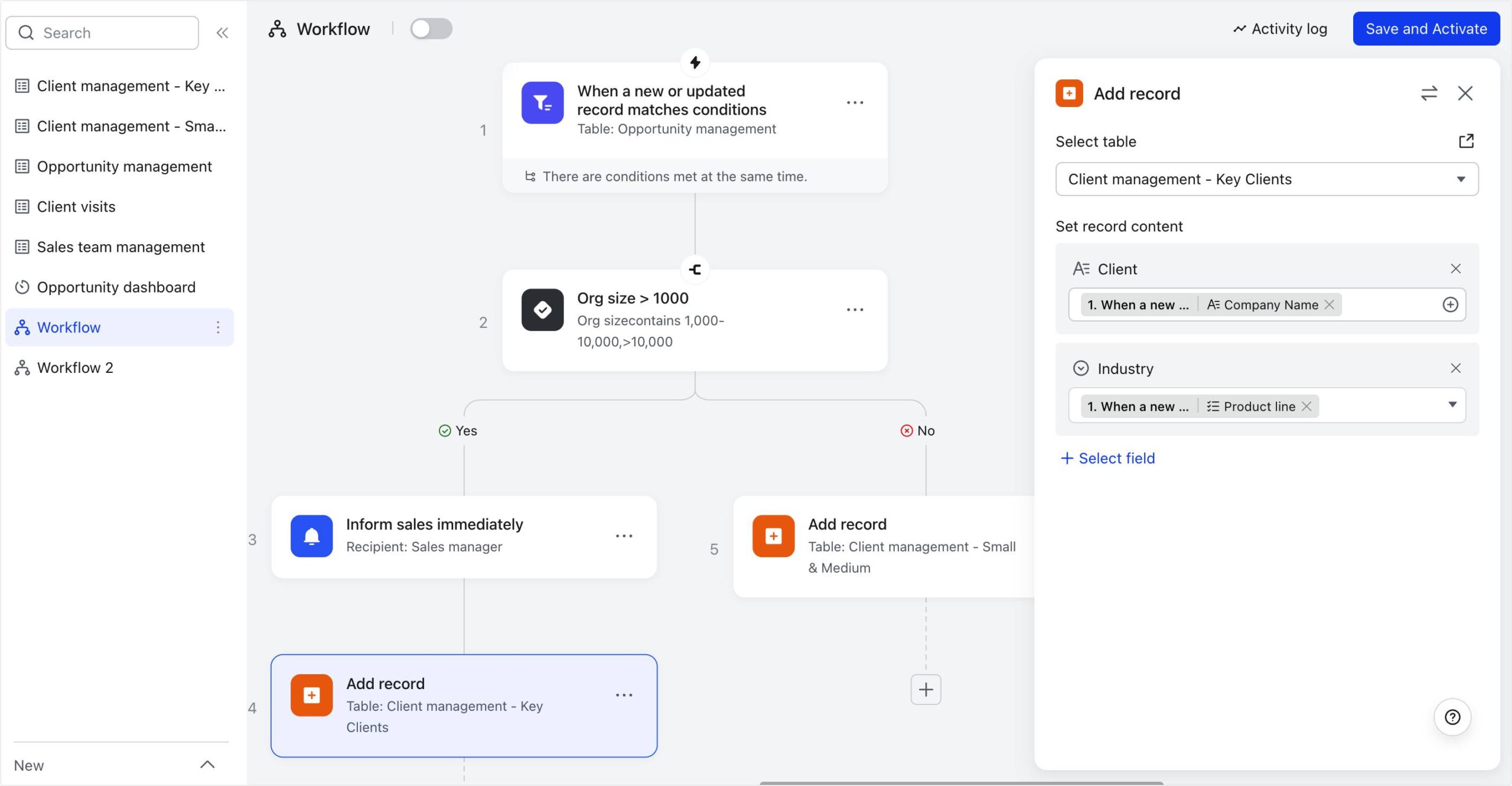
Lark Base’s main strength is that it can handle a wide range of data types. You can use text, dates, numbers, checkboxes, and files. This makes it a flexible tool for keeping track of project-related data. For example, a marketing team can use Lark Base to track the progress of multiple campaigns, assign tasks, and monitor due dates. Another thing that makes Lark Base great is its automated workflow features. Setting up triggers and actions is all it takes to automate tedious, repetitive tasks. You can set up a number of things to happen automatically, such as letting a team member know when they have a new assignment or changing the status of a project when a big goal is reached. Not only does automating these tasks save time, but it also makes sure that important updates are not missed.
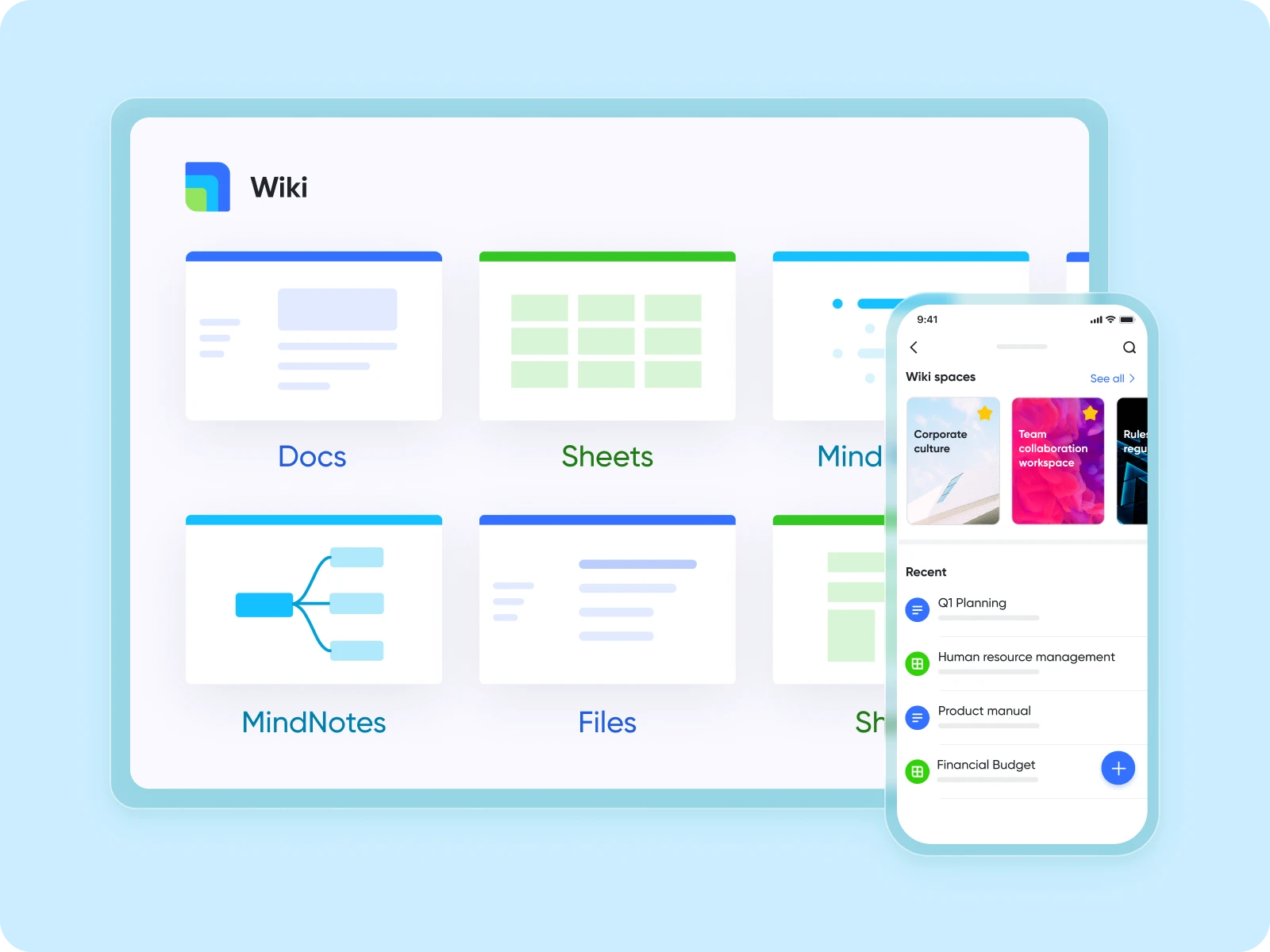
Lark Wiki: The knowledge hub for employees
Lark Wiki serves as a centralized knowledge hub for all company or project-related information. It is designed for knowledge sharing, where teams can store and access important documents such as project charters, training materials, technical specs, and more. Unlike typical word processors, Lark Wiki is built for organizing and structuring large amounts of information in a searchable, easy-to-access way.
For project managers, Lark Wiki keeps all essential documents in one location, allowing new team members to quickly learn about the project, and current members to easily find the information they need without sifting through emails or file systems. You can enrich the Lark Wiki knowledge base by embedding various types of content, such as Lark Base tables, videos, and other media, making it a more engaging and comprehensive resource.
Lark Attendance: Time management is simplified
Managing work hours and attendance might be a pain, but Lark Attendance does it for you. Employees may clock in and out on their phones, and you can set up geofencing to make sure they are where they need to be. This functionality is especially useful for teams that work in the field or firms that have more than one office. The system now handles all the work for you when it comes to figuring out work hours, overtime, and leaving balances.
Lark Attendance can help project managers find out a lot about their teams’ availability and workload. It’s a lot easier to plan resources and give people jobs when you can see who is available, on leave, or working extra hours. For example, data from Lark Attendance that is connected to other parts of the Lark ecosystem can be used to automatically change the schedule of a project based on when team members are available.

Lark Messenger and Lark Mail: Seamless communication at the core
Lark Messenger is a versatile messaging app that goes beyond simple texting. It enables voice and video calls, and even has real-time translation features to overcome language barriers. One of its biggest strengths is its integration with other Lark tools, allowing teams to collaborate smoothly. You can create project-specific chat groups, share files, and easily switch between different types of communication without leaving the app. Lark Messenger keeps conversations organized and focused on getting things done, all while supporting real-time collaboration.
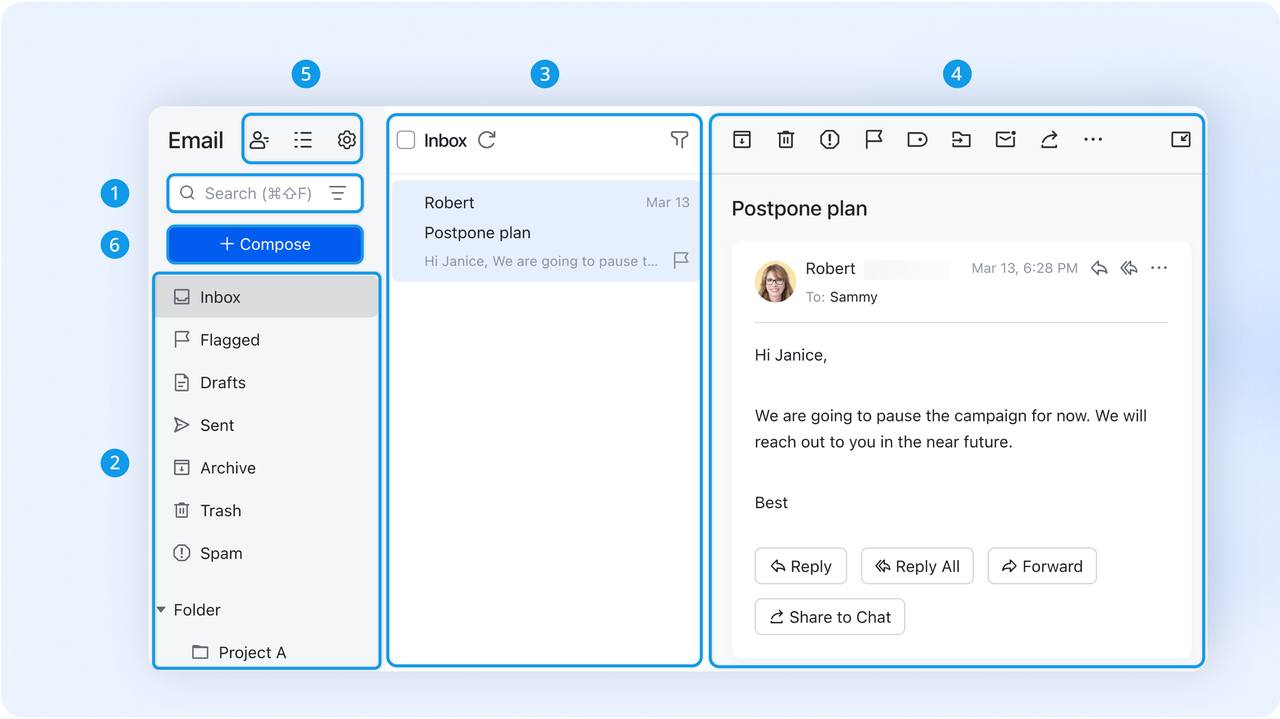
Lark Mail, on the other hand, is more than just an email client. It serves as a central hub for email communication, seamlessly working with other Lark features. Whether you’re handling emails, tasks, or shared documents, everything is accessible in one platform, saving you time and reducing the mental load of switching between apps. Lark Mail also enables you to turn emails into tasks or wiki posts with just one click, streamlining communication and ensuring that nothing slips through the cracks.
The synergy of using an all-in-one platform
The strengths of Lark don’t come from its individual aspects, but from how they all operate together. Lark Base, Wiki, Attendance, Messenger, and Email all depend on each other and operate effectively together. For instance, you can use the Lark Calendar and Lark Base together to keep track of the tasks for a project and when they are due. You may build up an automated way to let the group in the chat know when a task is done. The team could keep track of what they learnt from the project by putting all of their important emails and meeting notes on Lark Wiki.
When companies use a management strategy, they get rid of the silos that form when departments use their own software. A single system that makes communication, documentation, and project management easier lets teams do more in less time. Lark, being a robust business process management software, is a wonderful choice for modern teams who want to work more efficiently and communicate better because it has two of its best features: streamlined project management and workflow automation.